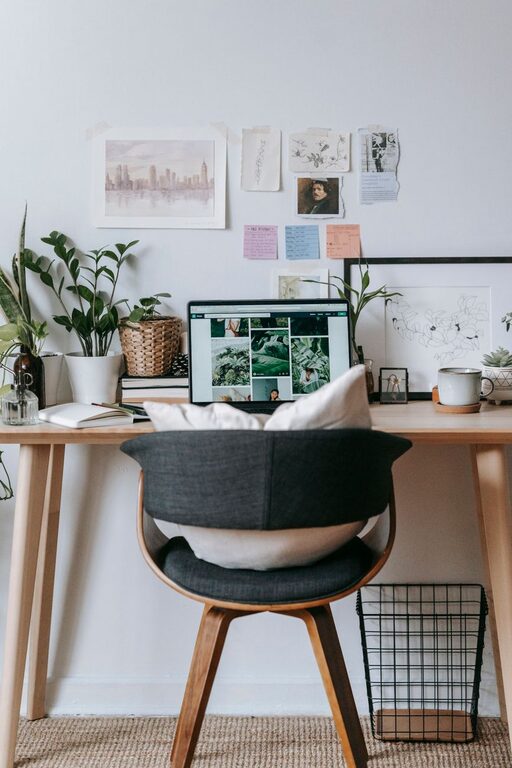
Creating an organized and clutter-free home office can make a big difference in your productivity, focus, and overall experience while working from home. A tidy workspace reduces distractions and helps you stay motivated throughout the day. Whether you have a dedicated room or a small corner, these simple tips will help you design and maintain an inviting, efficient office space.
Why Organizing Your Home Office Matters
Working in a cluttered space can cause unnecessary stress and slow down your workflow. By organizing your home office, you can:
– Improve focus and concentration
– Save time searching for documents and tools
– Create a calm and inviting atmosphere
– Boost your motivation and creativity
Now, let’s walk through practical strategies to keep your home office neat and inviting.
1. Start With a Clean Slate
Before organizing, clear everything off your desk and other surfaces. Sort items into categories:
– Paperwork
– Office supplies
– Electronics and cables
– Personal items
– Trash or recycle
This initial sorting helps you assess what you actually need and what can be stored, donated, or tossed.
2. Choose the Right Desk and Seating
Invest in a desk that suits your work style and space. Consider desks with drawers or shelves to limit clutter on top. Ergonomic seating supports comfort and encourages good posture, helping you focus for longer periods.
3. Use Storage Wisely
Good storage solutions are essential in a clutter-free office. Consider these ideas:
– Drawer organizers: Keep pens, sticky notes, and small items separated.
– Shelving units: Store books, binders, and decorative items.
– File organizers: Use vertical trays or file boxes to categorize important documents.
– Storage bins: Clear plastic bins or labeled baskets can hold cables, chargers, or seasonal items.
Labeling storage containers makes it easier to find and return items to their designated place.
4. Keep Surfaces Clear
Try to keep your desk as clear as possible. Limit items on your desk to essentials like your computer, mouse, a notepad, and a pen. If you enjoy personal touches, add one or two small plants or photos, but don’t overdo it.
5. Set Up a Cable Management System
Cables and cords are notorious for creating visual clutter. Use these tips to tame your cables:
– Use cable clips or ties to bundle cords together.
– Attach a cable management box or sleeve under your desk.
– Label power cords so you know what connects to which device.
– Keep chargers in a designated basket or drawer when not in use.
6. Develop a Paperwork System
Paper can easily pile up, so having a system is key. Here’s how to manage it:
– Use a sorter with categories like “to-do,” “to file,” and “to shred.”
– Digitize documents with a scanner or smartphone app to reduce physical copies.
– Regularly go through piles and file or discard documents to avoid buildup.
7. Declutter Regularly
Set aside time weekly or monthly to tidy your workspace. A quick sweep through drawers and shelves prevents clutter from returning and helps you reset your space.
8. Maximize Natural Light and Add Task Lighting
A bright workspace feels more open and inviting. Position your desk near a window if possible. Use adjustable desk lamps to ensure proper task lighting, especially during evening hours.
9. Keep Personal Items to a Minimum
Although personal touches make your space comfortable, too many can become distractions. Limit personal items to a few favorites and rotate occasionally to keep your office fresh but uncluttered.
10. Use Digital Tools for Organization
Beyond physical organization, utilize apps and digital platforms to keep your schedule, notes, and tasks in order. Popular tools can reduce paper clutter and streamline your workflow.
—
By following these simple tips, you can transform your home office into a clean, organized haven that promotes productivity and peace of mind. Remember, the goal is not just to tidy up but to create a sustainable system that works for your daily routine. Start small, stay consistent, and enjoy the benefits of a clutter-free workspace.
About the Author