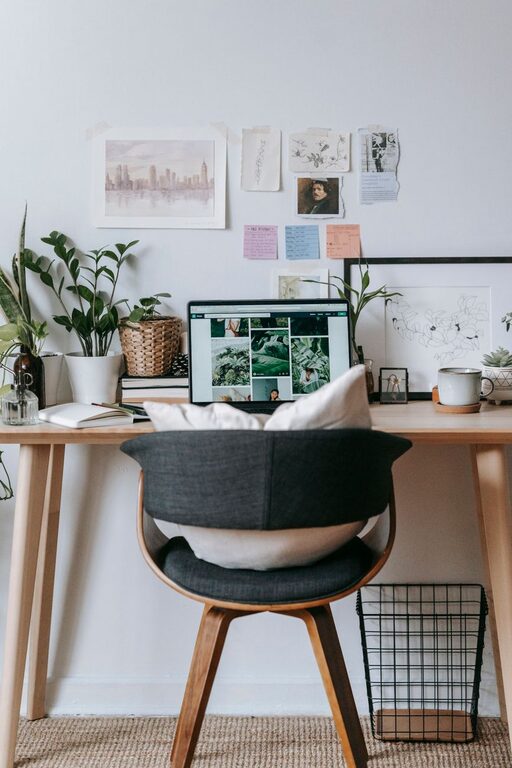
Creating a home office that feels both cozy and productive can greatly improve your work-from-home experience. Whether you have a dedicated room or a small corner, establishing an environment that supports focus and creativity is essential. Here are some practical tips for designing a home office space that’s comfortable and helps you get things done.
Choose the Right Location
Finding the perfect spot for your home office is the first step. Ideally, look for a quiet area with minimal distractions. If you have the option, a separate room works best to mentally separate work from home life. If space is limited, a corner in your living room or bedroom can be transformed into a dedicated work zone.
Consider Natural Light
Position your desk near a window when possible. Natural light boosts mood and energy, which can improve focus and productivity. If natural light is limited, invest in good quality, adjustable lighting to reduce eye strain.
Invest in Comfortable and Functional Furniture
Your furniture needs to support long hours of work without causing discomfort.
– Ergonomic Chair: Choose a chair that offers back support and adjustable height to maintain good posture.
– Spacious Desk: A desk large enough for your computer, paperwork, and other essentials will keep you organized.
– Additional Surfaces: Consider shelves or filing cabinets to keep supplies within reach but out of the way.
Personalize Your Space Without Clutter
Adding personal touches can make your office feel inviting, but too many items can create distractions.
– Use photos, artwork, or plants to add personality.
– Keep decorations minimal to maintain a clean and focused environment.
– Choose calming colors such as soft blues, greens, or neutrals to enhance concentration.
Organize and Declutter Regularly
A tidy workspace encourages productivity and reduces stress.
– Use organizers, trays, and drawers to keep items sorted.
– Keep only the essentials on your desk.
– Set aside a few minutes at the end of each day to clear your workspace.
Optimize Technology Setup
Efficient technology setup can save time and prevent frustration.
– Ensure your internet connection is stable and fast.
– Arrange cables neatly with clips or sleeves to avoid tangling.
– Invest in a good quality keyboard, mouse, and monitor to enhance comfort.
Incorporate Break Zones and Movement
Sitting for long periods can reduce productivity and impact health.
– If possible, include a small space for stretching or walking.
– Use a standing desk or adjustable desk converter to alternate between sitting and standing.
– Take regular breaks to refresh your mind.
Control Noise and Distractions
Maintaining focus means reducing noise and interruptions.
– Use noise-cancelling headphones or white noise machines if needed.
– Consider soundproofing options like rugs, curtains, or acoustic panels.
– Communicate boundaries to family or housemates during work hours.
Keep Plants and Air Quality in Mind
Adding greenery can improve air quality and provide a calming effect.
– Choose low-maintenance plants like succulents or snake plants.
– Ensure proper ventilation in your workspace.
Set a Routine and Separate Work-Life Boundaries
Your home office should encourage a healthy work-life balance.
– Keep consistent work hours.
– Avoid working from bed or couch to maintain separation between relaxation and work zones.
– At the end of the day, turn off your work devices to shift out of work mode.
—
By thoughtfully setting up your home office using these tips, you’ll create a space that feels cozy yet keeps you productive. Small changes can make a big difference in how you experience your workday at home. Remember, the key is to design a space that supports your workflow while making you feel comfortable and motivated. Happy working!
About the Author